Introduction
Old photos are like time machines. They hold memories, emotions, and moments that we can never recreate. But over the years, they often fade, tear, or accumulate scratches. Looking at a beloved family photo with fading colors or torn edges can be disheartening. You might be wondering how to restore old photos so that your memories can live on, crisp and vibrant.
The good news is that you don’t need to be a professional photographer or a Photoshop expert to learn how to restore old photos and bring your precious pictures back to life. With the right steps and tools, you can quickly and efficiently fix fading, remove scratches, and enhance clarity. In this guide, we’ll walk you through 3 simple steps to restore old photos, share useful tips, highlight common challenges, and show how you can use ImageEnhancer to make the restoration process even easier.
By the end of this guide, you’ll know exactly how to restore old photos to preserve their original charm while reviving your treasured memories.
Step 1 — Assess the Condition of Your Old Photos
Before you start restoring, it’s important to understand what you’re working with. Not all old photos are the same, and the damage can vary widely. Assessing the condition of your photos helps you choose the best restoration approach.
Identify Damage Types
Old photos can suffer from multiple types of damage, and understanding these issues is the first step in learning how to restore old photos:
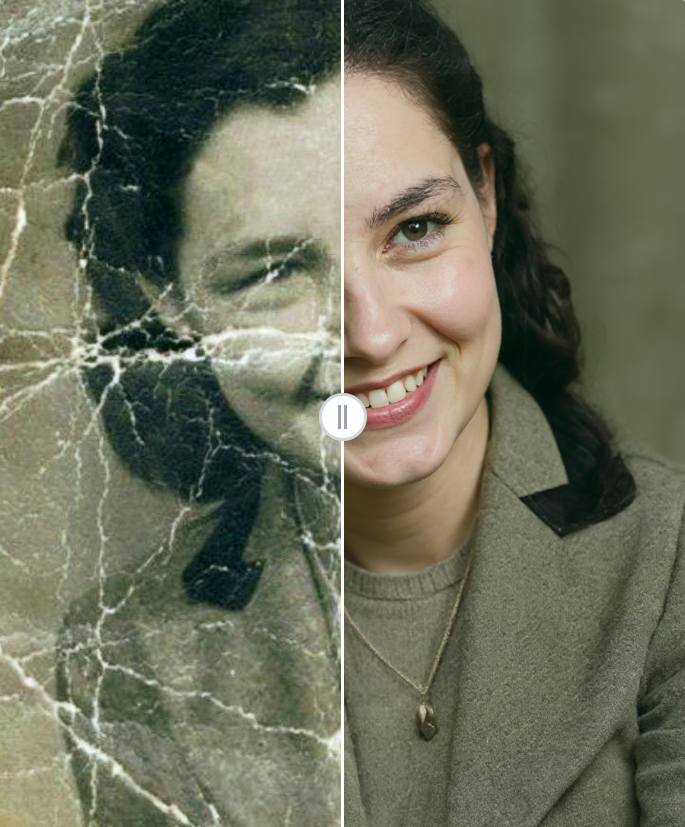
- Fading and discoloration: Many old photographs, especially color prints, lose their vibrancy over time. Faded colors make faces appear dull and backgrounds washed out, which is one of the most common reasons people seek to learn how to restore old photos.
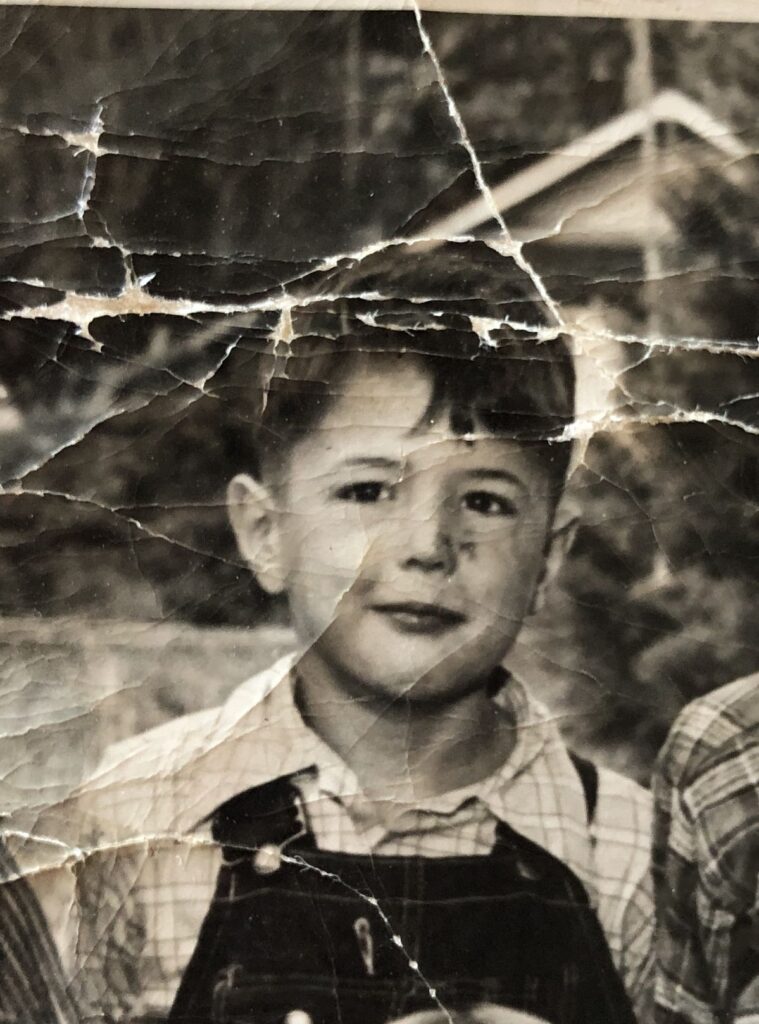
- Scratches and tears: Physical handling or improper storage often results in scratches or small tears. Even a tiny crease can affect the overall look of a photo, and knowing how to restore old photos helps you address these issues effectively.
- Dust and spots: Over the years, dust particles, stains, or small spots can accumulate on the photo surface, making restoration necessary to bring back the original clarity.
- Water damage: Moisture can leave blotches or cause the photo paper to warp. Learning how to restore old photos ensures even water-damaged photos can be carefully repaired.
By carefully examining your photos, you’ll understand exactly what issues need attention. For instance, a family portrait from the 1960s may primarily suffer from fading, while an old postcard might have scratches and small tears. Understanding these details is essential when learning how to restore old photos effectively.
Determine Restoration Goals
Once you’ve identified the damage, decide what you want to achieve. Ask yourself:
- Do I want a full restoration with vibrant colors?
- Is my goal just to fix scratches and minor discoloration?
- Will the restored photo be printed, framed, or kept digitally?
Your restoration goals will guide the tools and methods you choose. Some people want to preserve the original feel of the photo, while others aim for a refreshed, modern look. Either way, clarity on your goals will make the process smoother.
Step 2 — Choose the Best Method to Restore Old Photos
There are several ways to restore old photos, from online tools to software and mobile apps. Choosing the right method depends on your skill level, the complexity of the damage, and how much time you want to spend.
Use Free Online Tools
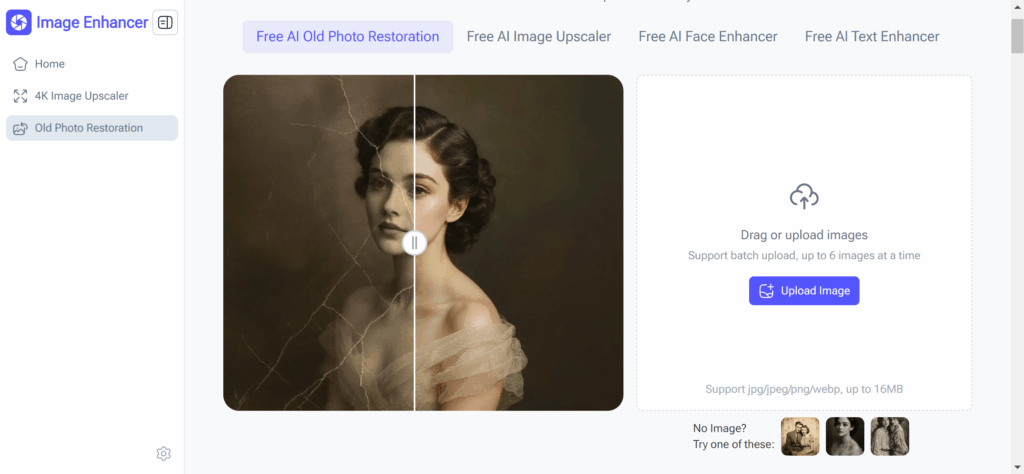
One of the easiest ways to learn how to restore old photos is by using online tools. Platforms like ImageEnhancer allow you to upload your photos, automatically repair damage, and download the results — all in just a few minutes. These tools make it simple for anyone to fix old photos without special skills.
Here’s why online tools are excellent for those learning how to restore old photos:
- No technical skills required: You don’t need Photoshop or prior experience.
- Fast results: Uploading and restoring your photos takes only a few minutes.
- Free options available: Many online tools are free and don’t require sign-ups or payments.
For example, if you have a faded childhood photo, you can scan it, upload it to ImageEnhancer’s old photo restoration tool, and quickly get a repaired, clear image. The AI automatically fixes color fading, removes scratches, and enhances facial details, making your old photo look like new. Learning how to restore old photos with AI tools like this saves time and produces professional-looking results without complex editing.
Use Software like Photoshop
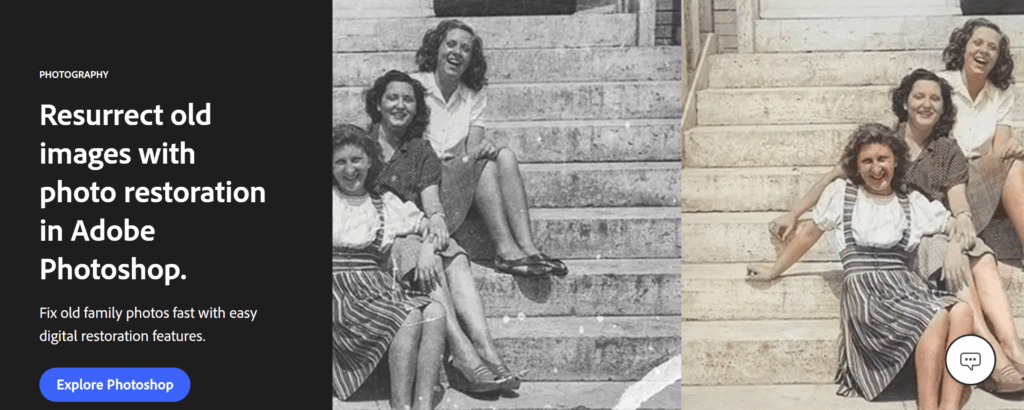
If you want full control over the restoration process, professional software like Photoshop is a good choice. With Photoshop, you can:
- Remove scratches manually using the clone stamp or healing brush
- Adjust colors to correct fading
- Sharpen blurred details
- Colorize black-and-white photos
While Photoshop offers excellent results, it can be time-consuming and requires learning some basic skills. For instance, fixing tears in a photo manually may take hours if the damage is extensive.
Mobile Apps for Quick Restoration
There are also mobile apps designed to restore old photos. These apps are convenient if you want to quickly repair pictures on your phone. Popular apps allow you to:
- Fix faded colors with one tap
- Remove dust and scratches
- Enhance photo clarity
However, mobile apps may not provide the same precision as desktop tools or professional software. They are great for simple fixes or casual restorations.
Step 3 — Restore Old Photos: Step-by-Step Process
Now that you’ve assessed your photos and chosen a method, it’s time to start restoring. Here’s a practical step-by-step guide.
Scan or Digitize Your Photos
The first step is to convert your physical photos into digital files. Use a scanner for the best quality, or a smartphone camera if necessary. Make sure the lighting is even and there are no shadows. High-resolution scans ensure that you can restore fine details effectively.

Apply Restoration Techniques
Depending on the tool or software you’re using, you’ll need to address the main types of damage when learning how to restore old photos:
- Fix fading and discoloration: Adjust brightness, contrast, and color balance to bring back the photo’s original vibrancy.
- Remove scratches, tears, and dust: Use healing or repair functions to fix physical damage. Online tools like ImageEnhancer can automatically detect and remove these imperfections, making it easy to see how to restore old photos effectively.
- Enhance clarity and sharpness: Slight sharpening helps bring out facial details and textures in the photo.
For instance, imagine an old wedding photo with faded colors and small scratches. Using an online tool, you can restore the colors to make the bride’s dress look fresh again while removing minor scratches, showing you exactly how to restore old photos with minimal effort.
Optional: Colorize Black & White Photos
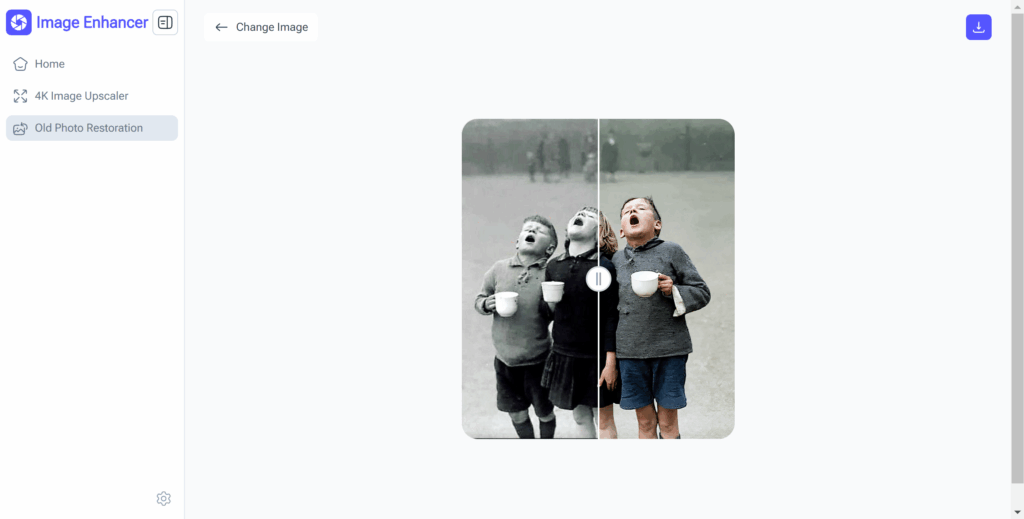
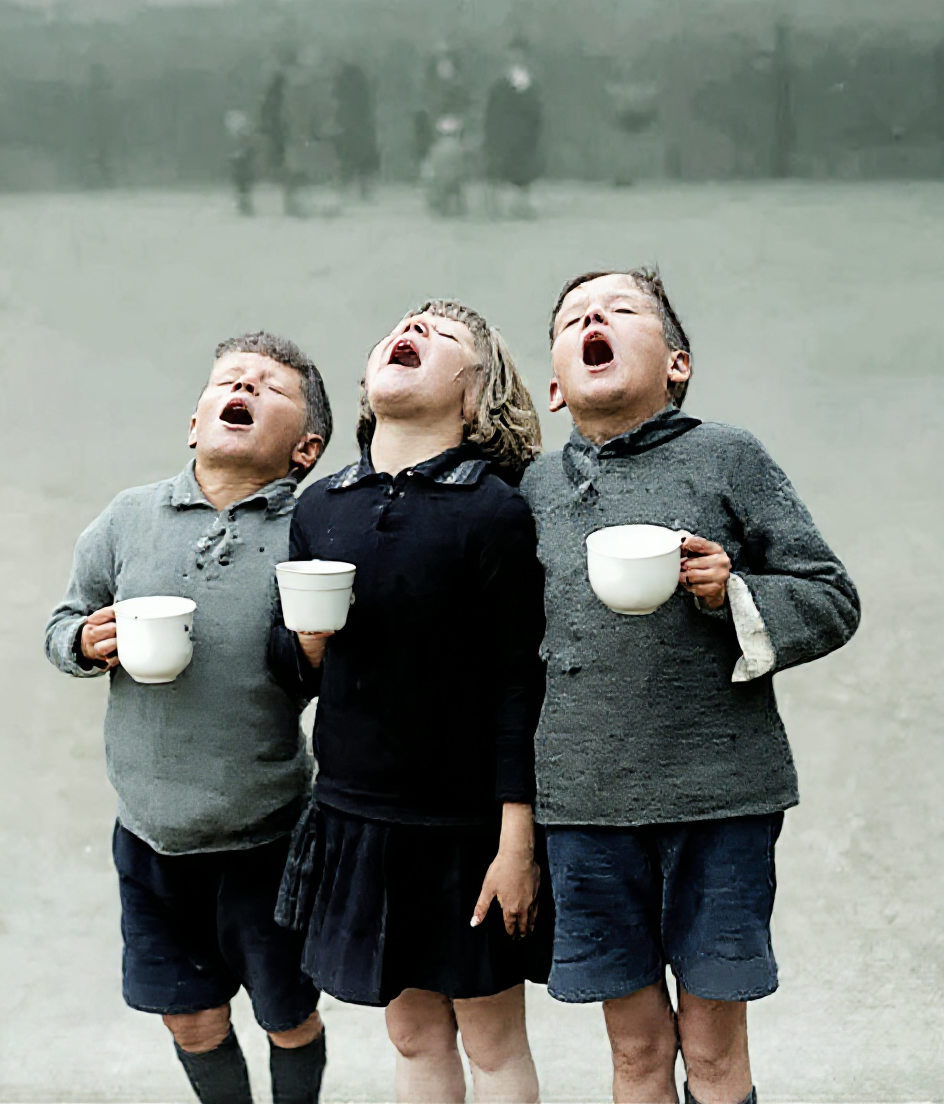
If your old photos are black and white, you can consider colorization. Many online tools, including ImageEnhancer, offer AI-powered colorization that adds natural, realistic colors to old prints. This is a fun way to make your old memories feel new.
Save and Backup Restored Photos
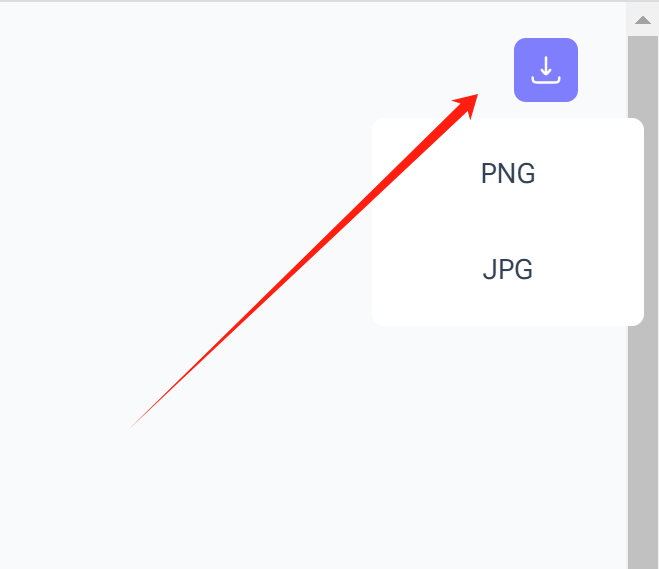
Once your photos are restored, save them in a high-resolution format. Create multiple backups to prevent future loss. Cloud storage or an external hard drive works well. Remember, once restored, these photos are digital treasures that you want to preserve.
Tips for Best Results in Photo Restoration
Here are some extra tips to help you get the best results:
- Work on high-resolution scans: The better the scan, the better the restoration.
- Compare multiple methods: Sometimes using both an online tool and minor manual adjustments gives the best result.
- Preserve original details: Avoid over-editing that makes the photo look unnatural.
- Use tools like ImageEnhancer for previews: You can see instant results before committing to full edits.
These tips make the restoration process smoother and more reliable.
FAQs about AI Old Photo Restoration
How long does it take to restore old photos using ImageEnhancer’s AI tool?
With ImageEnhancer’s AI Old Photo Restoration, most photos are repaired within minutes. You simply upload your photo, and the AI automatically fixes fading, scratches, and color issues. This makes it ideal if you want to quickly restore old photos without spending hours on manual edits. Whether it’s a single portrait or an entire family album, you can see results fast.
Do I need any special skills to use ImageEnhancer’s AI Old Photo Restoration?
No technical skills are required. The tool is designed for anyone who wants to restore old photos effortlessly. You just upload your image, and the AI handles the repair process automatically. Learning how to restore old photos with this tool is simple, even if you have never used Photoshop or photo editing software.
Can ImageEnhancer restore severely damaged or faded photos?
Yes! The AI is capable of repairing significant fading, scratches, and minor tears while keeping the original details intact. For example, old black-and-white photos that are discolored or have small damages can be restored to look almost like new. Knowing how to restore old photos with AI ensures even delicate, precious images are preserved beautifully.
Will the AI restoration change the original look or feel of my photos?
No, the AI is designed to enhance your photos while preserving their authentic feel. It carefully restores colors, removes blemishes, and fixes damage without making the photo look artificial. Understanding how to restore old photos with AI lets you enhance clarity and fix problems while maintaining the emotion and nostalgia of your original images.
Is the AI Old Photo Restoration tool free to use?
Yes, ImageEnhancer provides a free option for restoring old photos online. You can test the AI tool with a few images to see the quality before deciding whether you need additional features. This makes it easy to learn how to restore old photos digitally without investing in expensive software.
How should I prepare my photos for the best results with AI restoration?
For optimal results, scan or photograph your old photos in high resolution and make sure the image is well-lit. The cleaner the upload, the better the AI can restore colors, remove scratches, and enhance clarity. Knowing how to restore old photos with proper preparation ensures the AI delivers the best possible outcome.
Can I restore a full set of family photos at once?
Yes! If you have multiple old photos, you can upload them one by one or in batches, depending on the tool’s limits. The AI efficiently fixes fading, scratches, and minor tears for each photo. This is perfect if you want to restore an entire family album quickly. Learning how to restore old photos in bulk saves time and keeps your memories consistent in quality.
Can the AI restore black-and-white photos into color?
Absolutely. ImageEnhancer’s AI Old Photo Restoration can intelligently colorize black-and-white photos, making them look vivid while keeping the original mood intact. For example, old wedding or school photos can gain new life with natural colors. Understanding how to restore old photos with colorization helps you enjoy and share your family history in a modern way.
Will AI restoration work on very old or fragile photos?
Yes, the AI works best with scanned or high-quality images. Even if a photo is decades old, faded, or partially damaged, the tool can enhance clarity, fix discoloration, and remove scratches. Knowing how to restore old photos digitally allows you to safely preserve fragile originals without handling them excessively.
Conclusion
Restoring old photos doesn’t have to be complicated. By following these 3 simple steps, you can bring faded, scratched, or torn photos back to life. First, assess the condition of your photos. Second, choose the right method, whether it’s a free online tool like ImageEnhancer, professional software, or a mobile app. Third, follow the step-by-step process: scan, repair, enhance, and save.
Remember, each photo tells a story, and restoring them preserves memories for years to come. Whether it’s a childhood portrait, a wedding photo, or a family heirloom, understanding how to restore old photos allows you to keep those moments alive and vivid.