

If you’re searching for a Remini alternative in 2026, you’re definitely not alone. More and more users want a faster, easier, and more flexible way to enhance photos without dealing with subscriptions, daily limits, or complicated apps.
Remini works for some people, but many users quickly realize it’s not always the best option for everyday photo enhancement. That’s why searches for a reliable Remini alternative keep growing—especially for online tools that work instantly, deliver clean results, and don’t lock features behind paywalls.
In this guide, you’ll learn why users are moving away from Remini, what they actually need from a Remini alternative, and why tools like ImageEnhancer have become popular choices for photo enhancement, restoration, and upscaling.
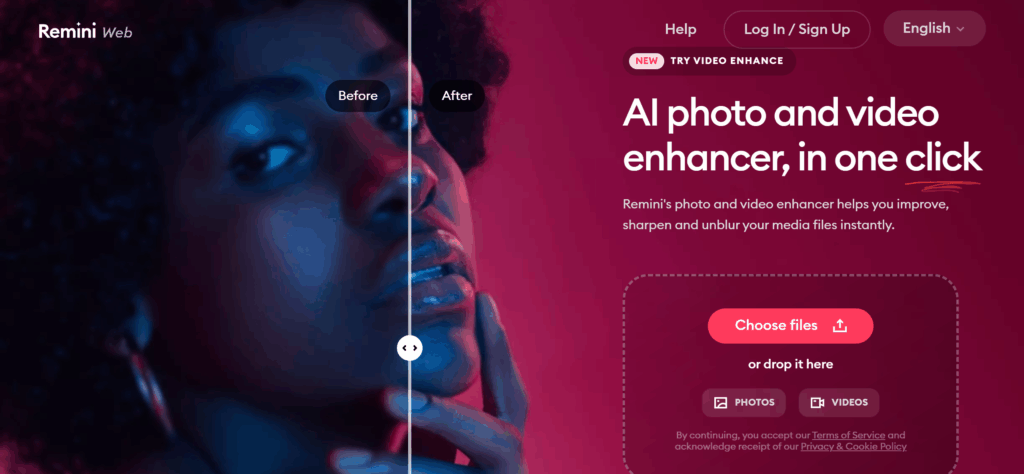
Why Users Look for Remini Alternatives
Most users don’t start by wanting a Remini alternative. They usually try Remini first. But after real use, many begin to look for something better, simpler, or more affordable.
Limitations of Remini: Subscription Fees, Daily Limits, and Login Requirements
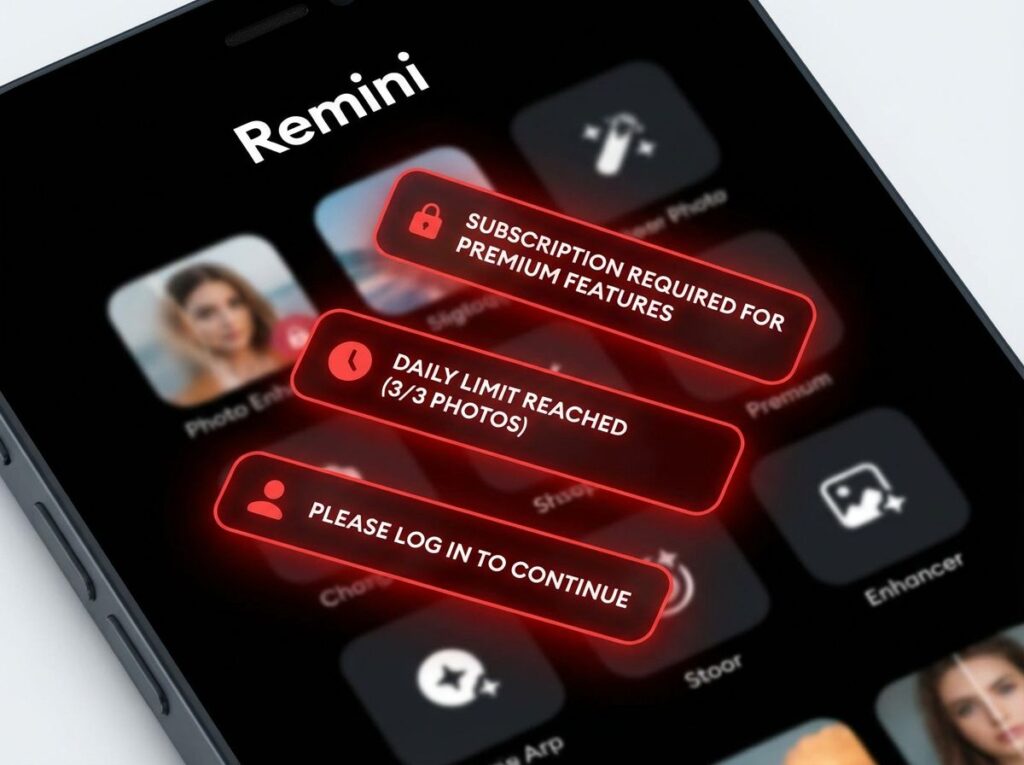
One of the main reasons people search for a Remini alternative is frustration with limits. Remini often requires a subscription to unlock full features. Free users usually face daily caps, watermarks, or restricted downloads.
Another common issue is the forced login. If you just want to enhance one photo quickly, creating an account feels unnecessary. Many users prefer a Remini alternative that lets them upload an image and get results right away—no sign-up, no waiting.
For example, if you’re trying to fix a blurry photo for a school project or social media post, you don’t want to watch ads or hit a daily limit. You want the job done fast.
User Needs: Fast, Free, and High-Quality AI Photo Enhancement
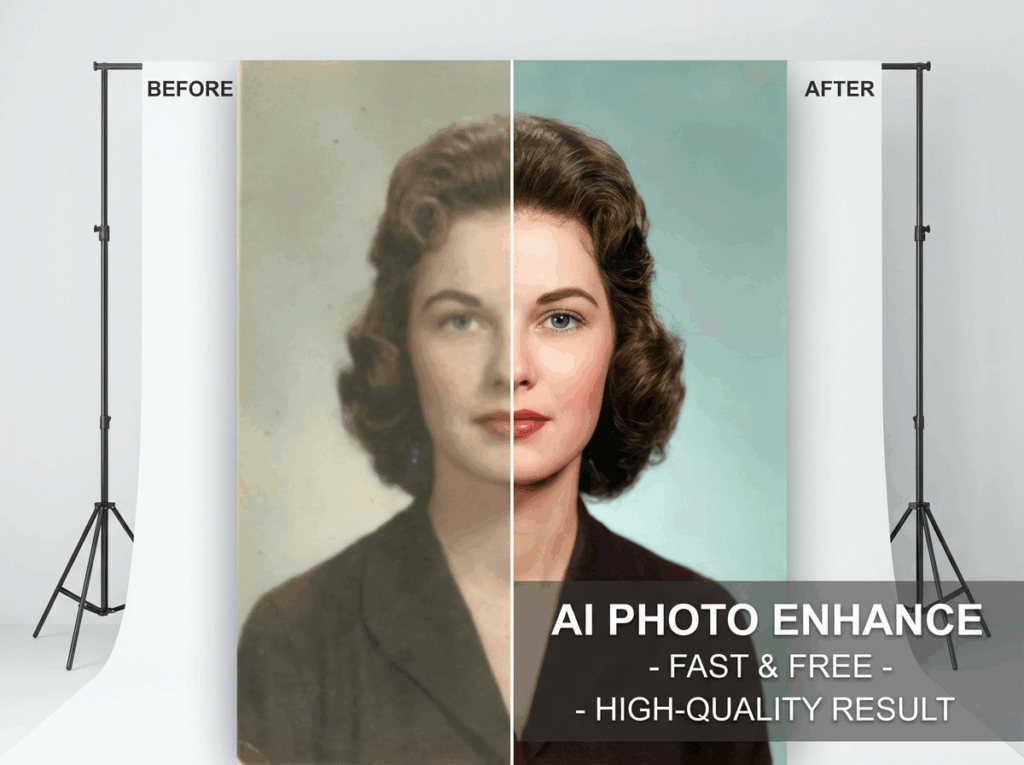
When users search for a Remini alternative, their needs are usually very practical. You want a tool that:
- Works online without installation
- Gives results in seconds, not minutes
- Offers free options or flexible usage
- Enhances photos without making them look fake
You don’t want over-sharpened faces or strange textures. You want clean, natural improvements that still look like the original photo.
That’s why many users move toward online Remini alternatives that focus on speed, simplicity, and realistic quality.
Common Use Cases: Restoring Old Photos, Fixing Blurry Images, Upscaling Low-Resolution Pictures
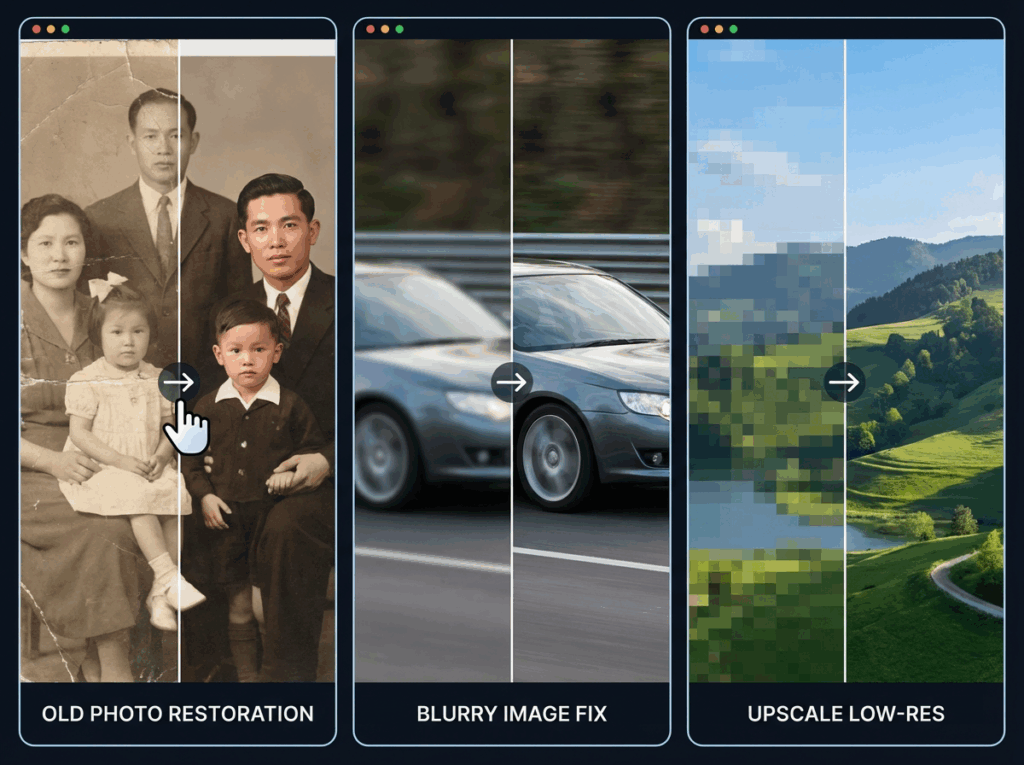
Most people looking for a Remini alternative have a clear goal in mind. Common use cases include:
- Restoring old family photos with fading or damage
- Fixing blurry images taken on older phones
- Upscaling small or low-resolution images for social media or websites
Imagine you find an old photo of your grandparents. The faces look soft, and the colors are washed out. You don’t need a professional editor—you just need a Remini alternative that can restore clarity and bring the photo back to life.
ImageEnhancer – The Top Remini Alternative
Among many Remini alternatives available today, ImageEnhancer stands out because it keeps things simple while still delivering strong results.
What Is ImageEnhancer and How It Works
ImageEnhancer is an online AI image enhancement tool designed for quick, everyday use. You upload your photo, choose the enhancement option, and let the AI improve your image automatically.
You don’t need editing skills. You don’t need to install anything. This makes ImageEnhancer a practical Remini alternative for users who want fast results without a learning curve.
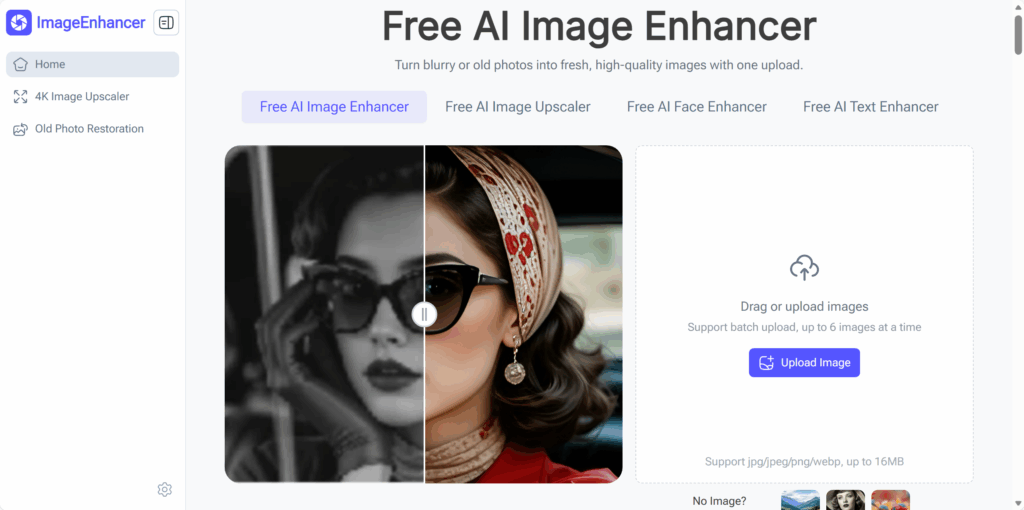
Key Features: AI Upscaling, Photo Restoration, Sharpening, and Color Enhancement
As a Remini alternative, ImageEnhancer covers the most common photo problems users face:
- AI upscaling to increase image resolution
- Photo restoration for old or damaged pictures
- Sharpening to reduce blur and improve details
- Color enhancement to fix faded or dull images
These features work well for personal photos, social media images, and basic professional needs.
Advantages Over Remini: Speed, Quality, and Free Options
Compared to Remini, ImageEnhancer focuses more on ease of use and accessibility. You can start enhancing images quickly, preview the results, and download without unnecessary steps.
Many users choose this Remini alternative because it saves time. You don’t have to manage subscriptions just to test a photo. For quick edits or occasional use, that flexibility matters.
Supported Formats and Image Size Limits
ImageEnhancer supports standard image formats like JPG and PNG, which means you can upload photos from phones, scanners, or cameras without extra preparation.
This makes it a reliable Remini alternative for most everyday scenarios—whether you’re restoring an old photo, fixing blur, or improving image quality for sharing online.
How to Use ImageEnhancer for Photo Enhancement
If you’re looking for a Remini alternative that doesn’t feel complicated, ImageEnhancer is designed to keep the process simple. You don’t need editing experience, and you don’t need to guess which settings to use. The steps are clear, fast, and beginner-friendly.
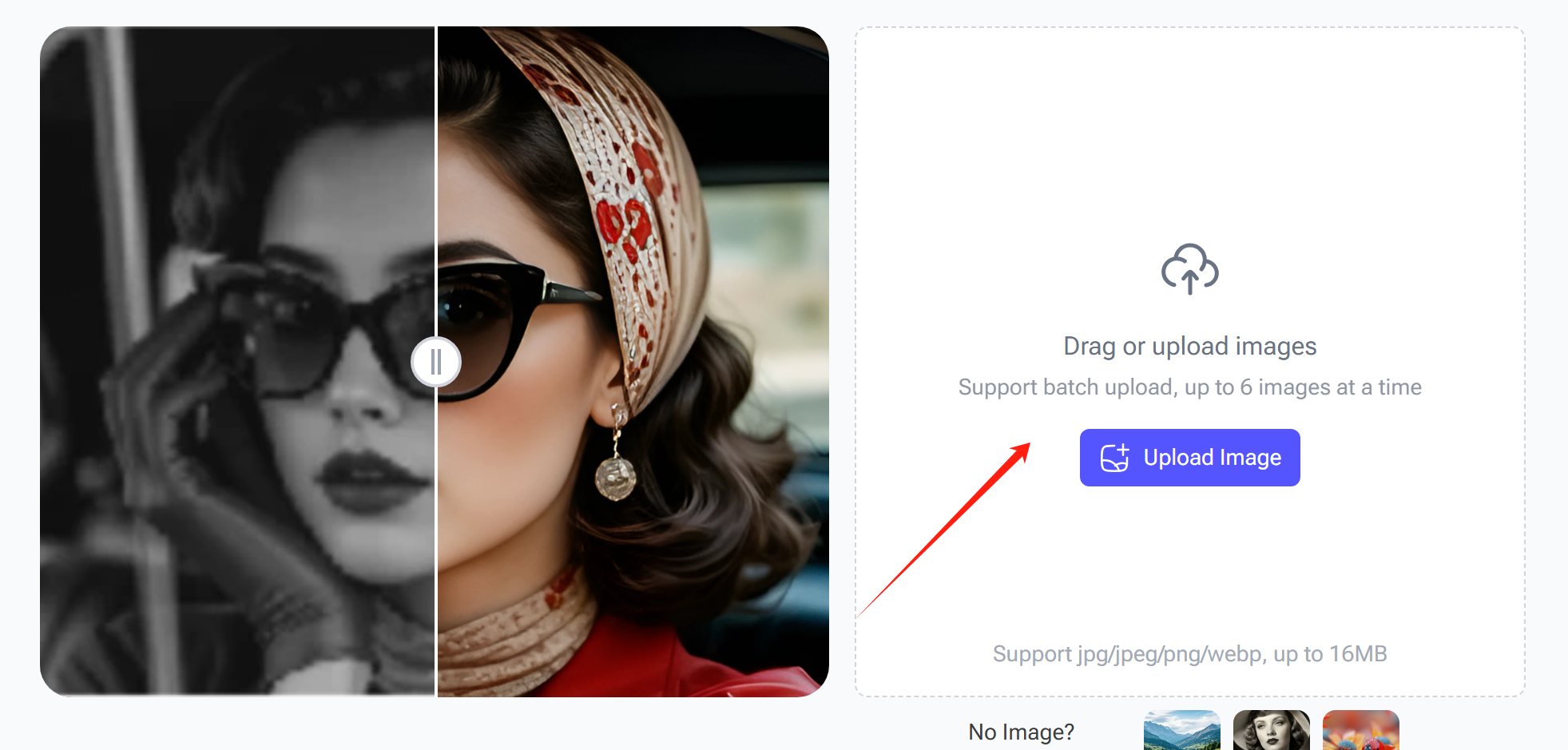
Step 1 – Open ImageEnhancer and Upload Your Photo
First, open the ImageEnhancer website in your browser
You can do this on desktop or mobile. Once you’re on the site, you’ll see an upload area right away. Click to upload your photo or simply drag and drop it.
This step is where many users immediately notice the difference between ImageEnhancer and other Remini alternative tools. You don’t need to create an account just to test a photo. You upload your image and move on.
This works well whether you’re uploading:
- An old scanned family photo
- A blurry phone picture
- A low-resolution image downloaded from social media
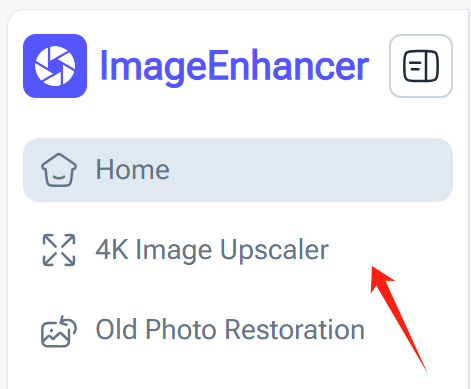
Step 2 – Choose 4k Image Upscaler or Restoration Options
After uploading your image, you choose what you want to improve. ImageEnhancer gives you clear options instead of confusing sliders.
If your photo looks small or pixelated, choose 4k Image Upscaler If your image looks faded or damaged, choose Old Photo Restoration.
This is where ImageEnhancer works as a strong Remini alternative. The AI automatically analyzes the image and applies the right enhancement method without you needing to fine-tune settings.
For example, if you upload an old portrait, the tool focuses on restoring facial details and improving clarity while keeping the photo natural.
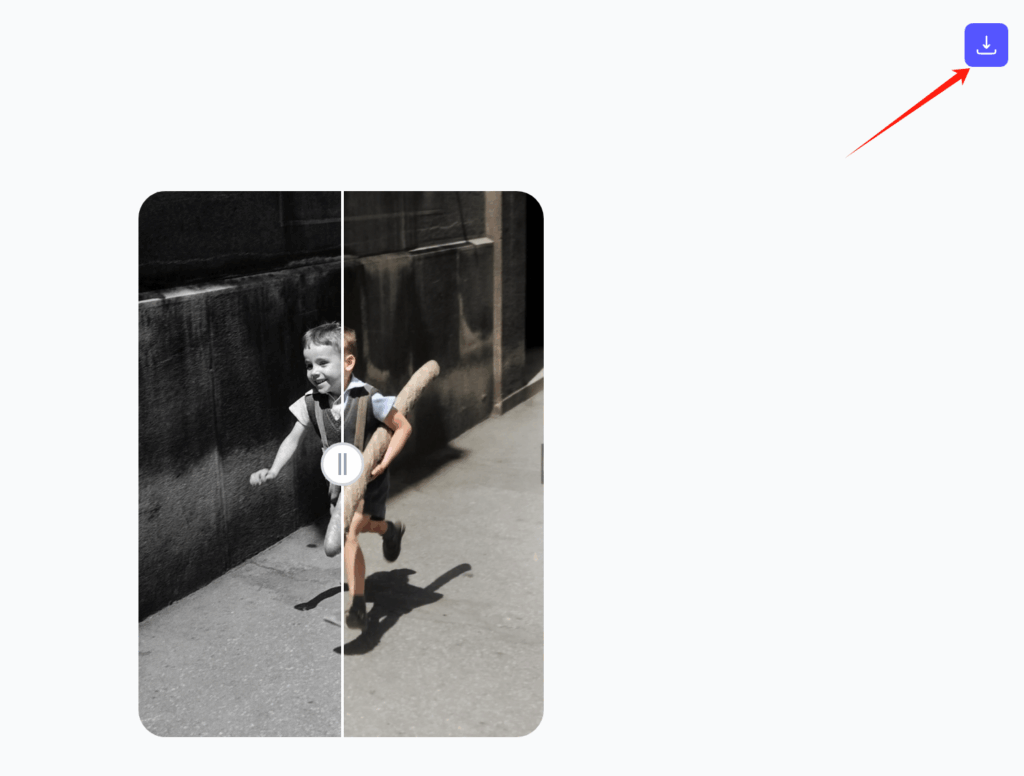
Step 3 – Preview Results and Download the Enhanced Image
Once the AI finishes processing, you can preview the result before downloading. This preview step is important because it lets you compare the original and enhanced version side by side.
If you’re happy with the result, download the enhanced image directly. If not, you can adjust your approach or try a different enhancement option.
This preview-and-download workflow is one reason many users prefer this Remini alternative. You stay in control and don’t waste time guessing what the final image will look like.
Tips for Best Results While Maintaining Quality
To get the best results from any Remini alternative, including ImageEnhancer, keep these tips in mind:
- Upload the highest-quality original image you have
- Avoid extreme upscaling if the original image is very small
- Use restoration tools for old photos, not just sharpening
- Always preview results before downloading
These small steps help you maintain natural details and avoid over-processing.
Other Top 4 Remini Alternatives in 2026
Even though ImageEnhancer works well for most everyday needs, it’s not the only Remini alternative available in 2026. Some users want mobile apps, some want batch processing, and others prefer advanced manual controls.
Below are four well-known Remini alternative tools—both free and paid—that users often compare before making a decision.
Free and Paid AI Photo Enhancement Tools to Consider
1. VanceAI Image Enhancer
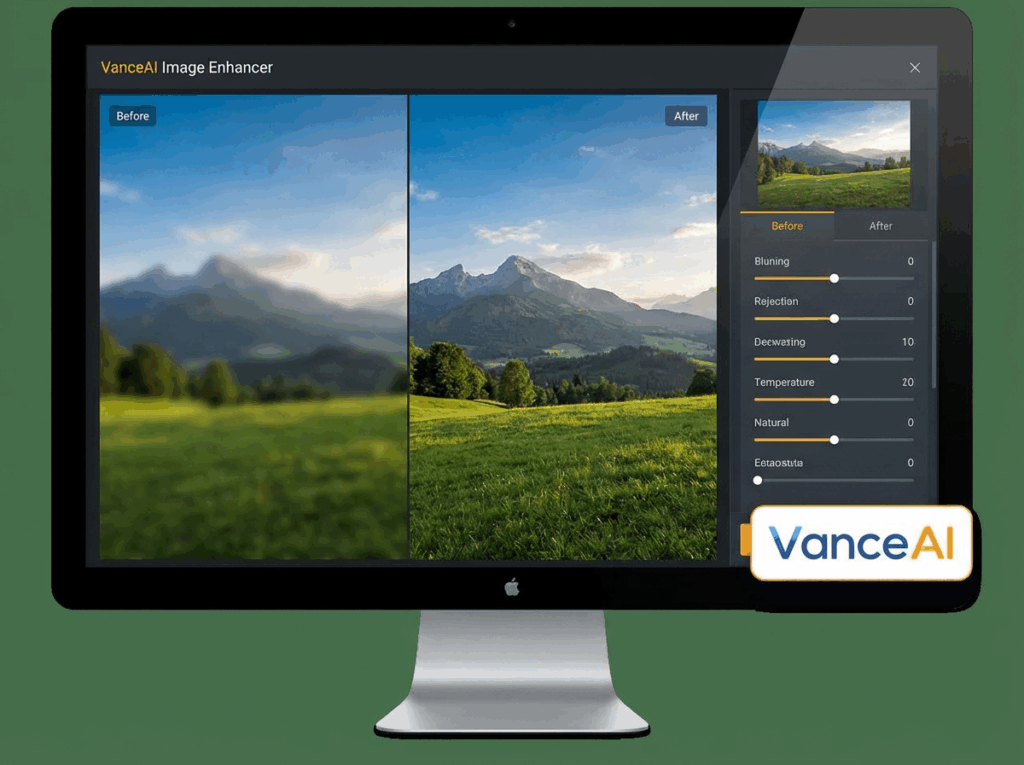
VanceAI is a popular Remini alternative for users who want strong AI upscaling and restoration features. It works online and also offers paid plans for higher resolution outputs.
It’s often used for:
- Upscaling product images
- Enhancing portraits
- Fixing blurry photos
However, free usage usually comes with resolution limits, which makes it less flexible for casual users.
2. Let’s Enhance

Let’s Enhance focuses heavily on image upscaling for design, printing, and e-commerce. As a Remini alternative, it’s commonly chosen by users who need clean, sharp images for professional use.
It performs well with:
- Architecture photos
- Landscape images
- Print-ready visuals
The downside is pricing. For frequent use, costs can add up quickly.
3. Fotor AI Photo Enhancer

Fotor is more of an all-in-one editing platform. It includes AI enhancement as one feature among many. Users often choose it as a Remini alternative when they also want filters, effects, and basic design tools.
It’s useful if:
- You want simple enhancements plus design features
- You edit social media graphics
- You don’t need deep restoration tools
The AI enhancement is decent, but not as specialized as tools focused purely on restoration and upscaling.
4. PicsArt AI Enhance
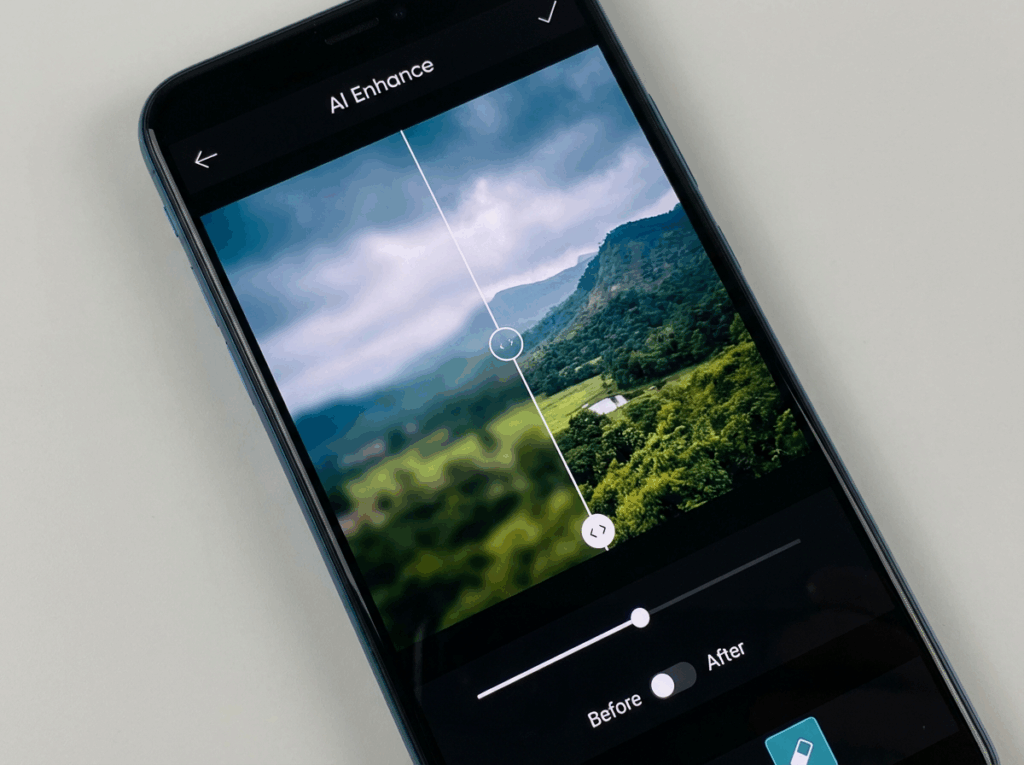
PicsArt is widely used on mobile devices and is often considered a Remini alternative by casual users. It works well for quick edits and creative projects.
It’s a good fit if:
- You mainly edit photos on your phone
- You like creative effects and templates
- You want fast, casual enhancements
For serious photo restoration or high-resolution upscaling, it may feel limited.
Quick Comparison Table: Features, Pricing, and Ease of Use
When users compare a Remini alternative, they usually focus on three key factors:
- Features: Some tools specialize in AI upscaling, while others focus on creative edits or batch processing.
- Pricing: Many Remini alternatives offer free trials but require payment for high-resolution downloads or frequent use.
- Ease of use: Online tools like ImageEnhancer are often faster for one-off edits, while advanced platforms may require more setup time.
If your goal is quick photo enhancement without learning complex tools, simplicity often matters more than feature depth.
When to Choose Alternatives Over ImageEnhancer
While ImageEnhancer is a strong Remini alternative for most users, there are situations where another tool might be a better fit.
You may choose a different Remini alternative if:
- You need batch processing for hundreds of images
- You want advanced manual controls for professional workflows
- You already use a design platform like Fotor or PicsArt
That said, if your main goal is to enhance photos quickly, restore old images, or upscale pictures without hassle, ImageEnhancer remains one of the most practical Remini alternatives in 2026.
Tips for Achieving the Best Results with Remini Alternatives
No matter which Remini alternative you choose, the final image quality depends on how you use the tool. AI photo enhancement is powerful, but it still works best when you follow a few simple rules.
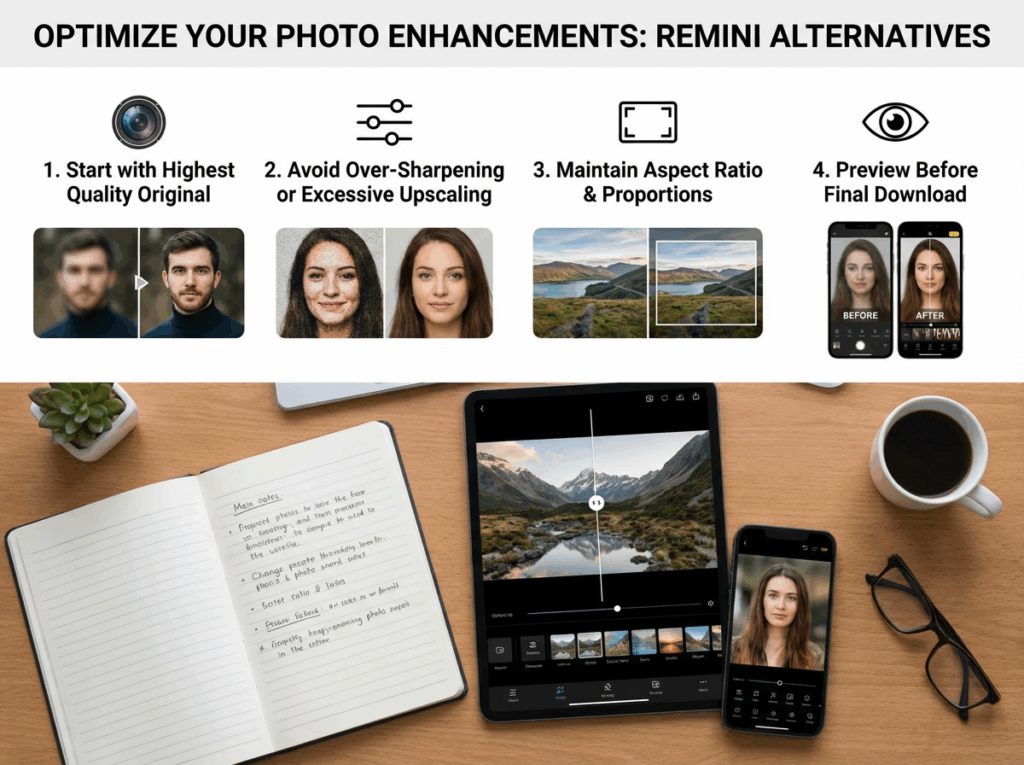
Start with the Highest Quality Original Image
The first rule is simple: always start with the best image you have. A Remini alternative can improve clarity and details, but it can’t magically recover information that doesn’t exist.
If you have multiple versions of the same photo, choose the one with:
- Higher resolution
- Less compression
- Better lighting
For example, a scanned old photo usually works better than a screenshot of that same photo. The cleaner the original, the better the AI enhancement results.
Avoid Over-Sharpening or Excessive Upscaling
It’s tempting to push AI tools to the maximum, especially when you want a dramatic improvement. But with any Remini alternative, too much sharpening or upscaling can make images look unnatural.
Over-sharpened photos often show:
- Harsh edges
- Artificial textures on faces
- Loss of natural skin detail
A balanced approach usually gives the most realistic result. Let the AI enhance details gently instead of forcing extreme changes.
Maintain Aspect Ratio and Image Proportions
Another common mistake is changing the image size without keeping the original proportions. Most Remini alternative tools allow you to resize or upscale images, but you should always keep the aspect ratio locked.
Stretching an image can make faces look distorted or objects appear unnatural. This is especially important when enhancing portraits or family photos where realism matters.
Preview Images Before Final Download
Always take a moment to preview your enhanced image. Side-by-side comparison helps you spot issues like over-sharpening, strange colors, or unwanted artifacts.
Many users rush to download results and only notice problems later. Previewing first saves time and ensures you’re happy with the final image.
Common Mistakes to Avoid When Using Remini Alternatives
Even the best Remini alternative can deliver poor results if you use it the wrong way. These are some of the most common mistakes users make—and how you can avoid them.
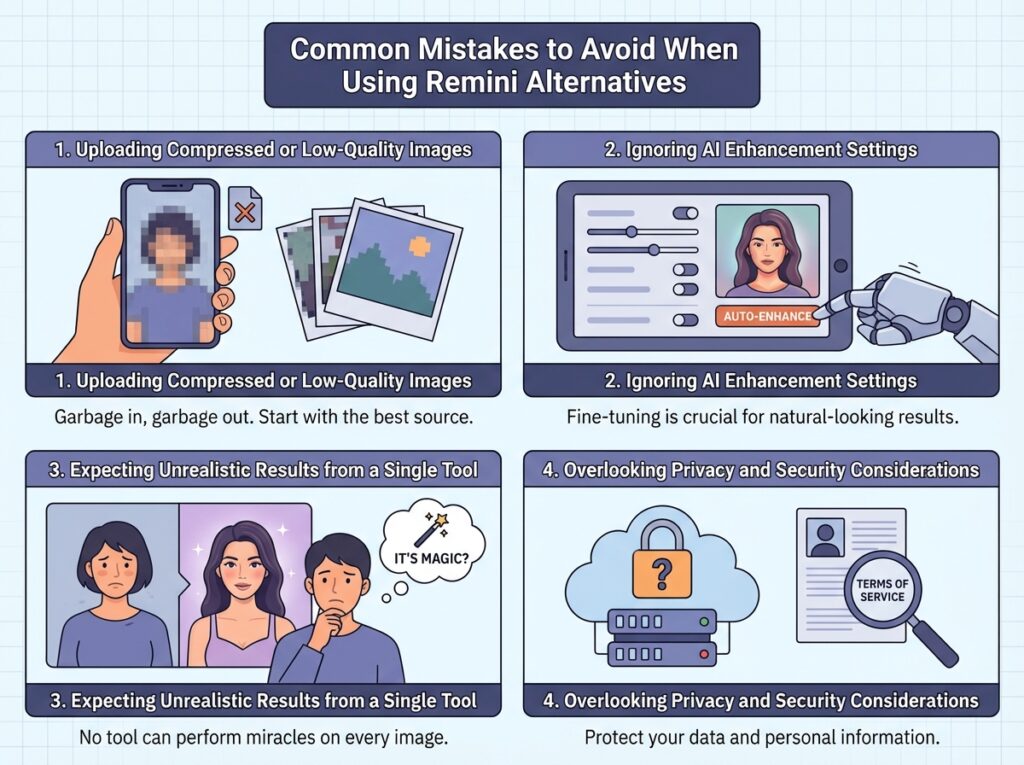
Uploading Compressed or Low-Quality Images
Highly compressed images already lose important visual data. When you upload them to a Remini alternative, the AI has very little to work with.
Images downloaded from messaging apps or social platforms often suffer from heavy compression. If possible, upload the original file instead of a compressed version.
Ignoring AI Enhancement Settings
Some users rely entirely on default settings and never explore available options. While AI automation is helpful, small adjustments can make a big difference.
Different photos need different approaches. A blurry image may need sharpening, while an old photo may need restoration and color correction. Take a few seconds to choose the right option.
Expecting Unrealistic Results from a Single Tool
A Remini alternative can significantly improve image quality, but it’s not magic. Very damaged photos or extremely blurry images may still have limits.
Understanding these limits helps you set realistic expectations and avoid disappointment. AI tools work best as enhancement tools, not miracle fixes.
Overlooking Privacy and Security Considerations
When using any Remini alternative online, it’s important to think about privacy. You’re uploading personal images, sometimes including family photos or private moments.
Choose tools that:
- Clearly explain how images are processed
- Don’t require unnecessary account creation
- Don’t store your images longer than needed
Being mindful of privacy helps you use AI tools with confidence.
Conclusion: Why ImageEnhancer Is the Best Remini Alternative
If you’re looking for a Remini alternative that actually fits real-life needs in 2026, the answer comes down to simplicity, speed, and results you can trust. You want to enhance photos without subscriptions forcing your hand, without waiting through ads, and without learning complex editing tools. You want something that works the moment you need it.
That’s exactly where ImageEnhancer stands out. As a Remini alternative, it gives you a clean workflow: upload your photo, choose the right enhancement option, preview the result, and download. No pressure, no unnecessary steps. Whether you’re restoring old family photos, fixing blurry images, or improving low-resolution pictures for social media or work, you stay in control of the process.
Most importantly, ImageEnhancer focuses on natural-looking improvements. Instead of pushing aggressive effects, it helps your photos look clearer, sharper, and more polished—while still looking real. That balance is why many users now choose it as their go-to Remini alternative for everyday photo enhancement.
If you want a fast, accessible, and reliable way to improve image quality online, you can try it yourself in ImageEnhancer.
For most users, it’s simply the easiest way to get high-quality results—without the friction that made them search for a Remini alternative in the first place.